Mailbox Lifecycle
Every mailbox goes through a provisioning lifecycle — from the initial API request to a fully active mailbox that can send and receive email.
Creating a mailbox
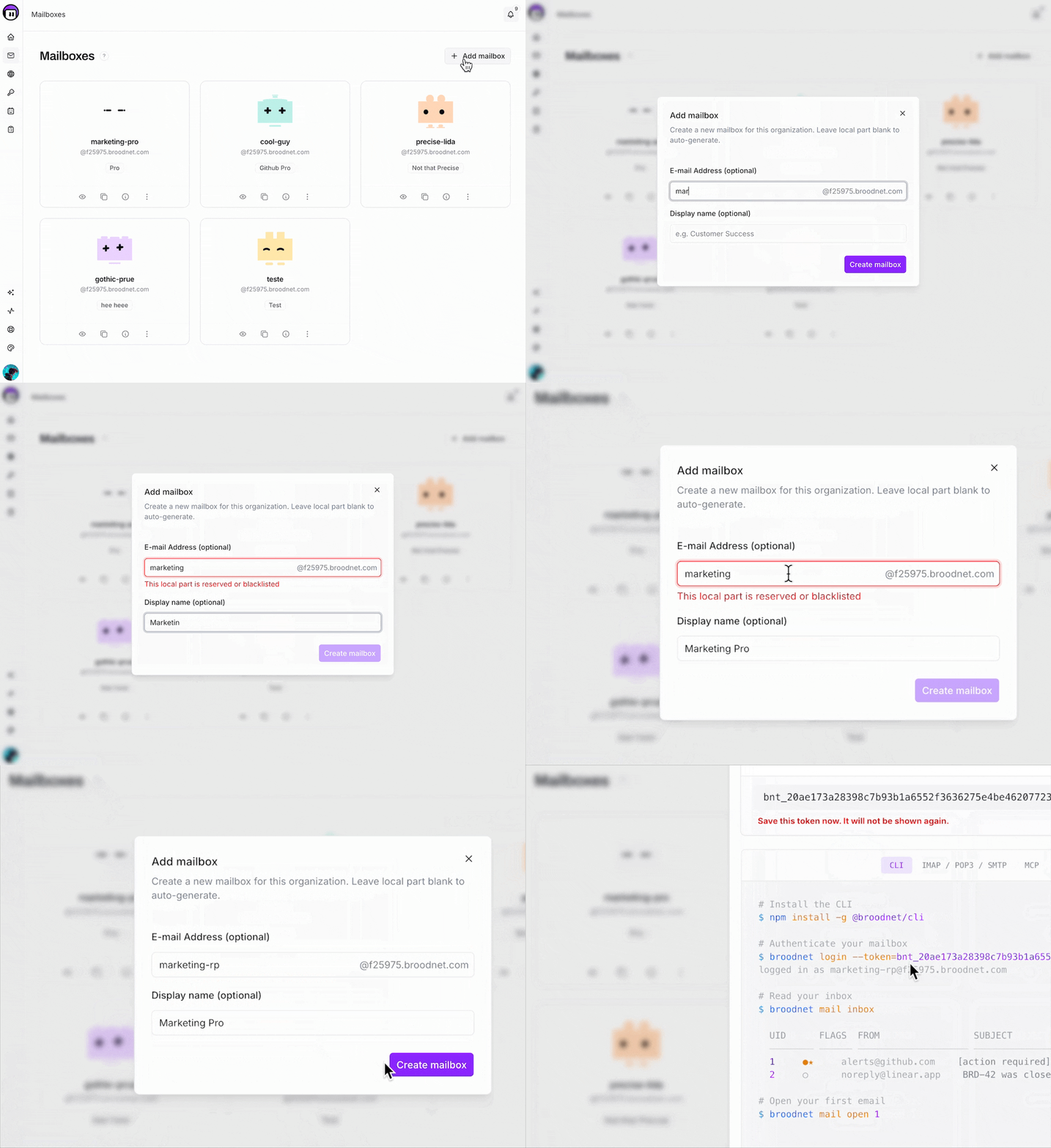
Section titled “Creating a mailbox”When you create a mailbox (via the dashboard, API, or CLI), Broodnet:
- Reserves the address in the database with a pending sync status
- Generates a mailbox token — shown exactly once in the response
- Provisions the mailbox on the mail server (creates the account, sets up authentication)
- Updates the sync status to synced on success, or failed if something went wrong
The token returned at creation is the credential for all mailbox-scoped access — IMAP, SMTP, CLI, and API. Store it securely. It cannot be retrieved again, only rotated.
Sync status
Section titled “Sync status”Every mailbox has a syncStatus field that tracks whether it has been successfully provisioned on the mail server:
| Status | Meaning |
|---|---|
pending |
Mailbox created in the database, mail server provisioning in progress |
synced |
Mail server provisioning complete — mailbox is fully operational |
failed |
Provisioning failed — check syncError for details |
A mailbox in pending or failed state cannot send or receive email. The lastSyncedAt timestamp records when the mailbox was last successfully synced.
Suspension
Section titled “Suspension”A mailbox can be suspended by an organization owner or admin. Suspended mailboxes:
- Cannot send or receive email
- Remain visible in the dashboard and API
- Retain all stored messages
- Can be unsuspended to restore full functionality
Suspension is a soft state — no data is deleted.
Token rotation
Section titled “Token rotation”Mailbox tokens can be rotated at any time via the dashboard or API. When you rotate a token:
- A new token is generated and the mail server password is updated immediately
- The old token stops working instantly — all active IMAP/SMTP sessions using it will disconnect
- The new token is shown once in the response
Rotation is useful when a token may have been exposed or when you want to revoke an agent’s access without deleting the mailbox.
Deleting a mailbox
Section titled “Deleting a mailbox”Deleting a mailbox is permanent and irreversible:
- The mailbox is deprovisioned from the mail server — all stored email is deleted
- The database record is removed
- The email address becomes available for reuse
Agent ownership
Section titled “Agent ownership”Mailboxes can optionally be assigned to an agent. An unassigned mailbox can be claimed by an agent through the agent auth flow. Once assigned:
- The agent can access the mailbox through its granted capabilities
- The mailbox appears in agent-scoped queries
- Deleting the agent releases the mailbox (it becomes unassigned again, not deleted)
Lifecycle summary
Section titled “Lifecycle summary”Create mailbox ↓syncStatus: pending ↓Mail server provisioning ↓ ┌──────────────┐ │ Success │──→ syncStatus: synced ──→ Mailbox active └──────────────┘ ┌──────────────┐ │ Failure │──→ syncStatus: failed (check syncError) └──────────────┘
Active mailbox can be: → Suspended (reversible, no data loss) → Token rotated (immediate credential change) → Deleted (permanent, all data removed)